Salestio Updates, October 20
Hello,
Salestio Team is here with another portion of updates inside the app. If you have any ideas or suggestions on how we can improve, send us an email to support@salest.io or submit your ideas to our roadmap.
Upcoming livestream
If you want to learn more about configuring items for the Selling Products mode, tune in to the next livestream on our YouTube channel. This time, we are covering Price Sync Rules. Join and ask questions live to learn more about using different price modes, setting up discounts, and dealing with eBay auctions:
https://youtube.com/live/waw7c0IsqAU
Listing Wizard
eBay sellers can try out the new way of publishing listings. This method works in tandem with the recently introduced Selling Products mode. To access the Listing Wizard, check the Dashboard and click Start listing products.
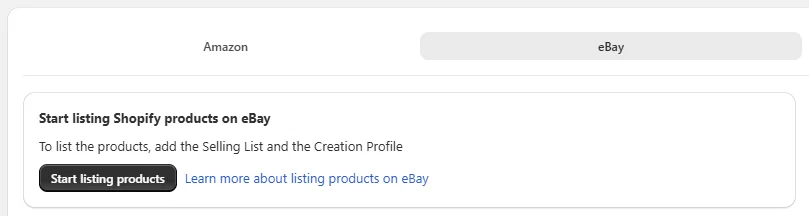
The new mode streamlines the listing process and offers a simple step-by-step process of picking products and confirming the settings.
When assigning categories, Salestio now suggests eBay categories and assigns item specifics automatically based on Shopify product data. You can still adjust each setting or leave it as-is and approve each profile.
By default, Salestio uses the prices and quantities as set in Shopify. To adjust it, move on to step 4.
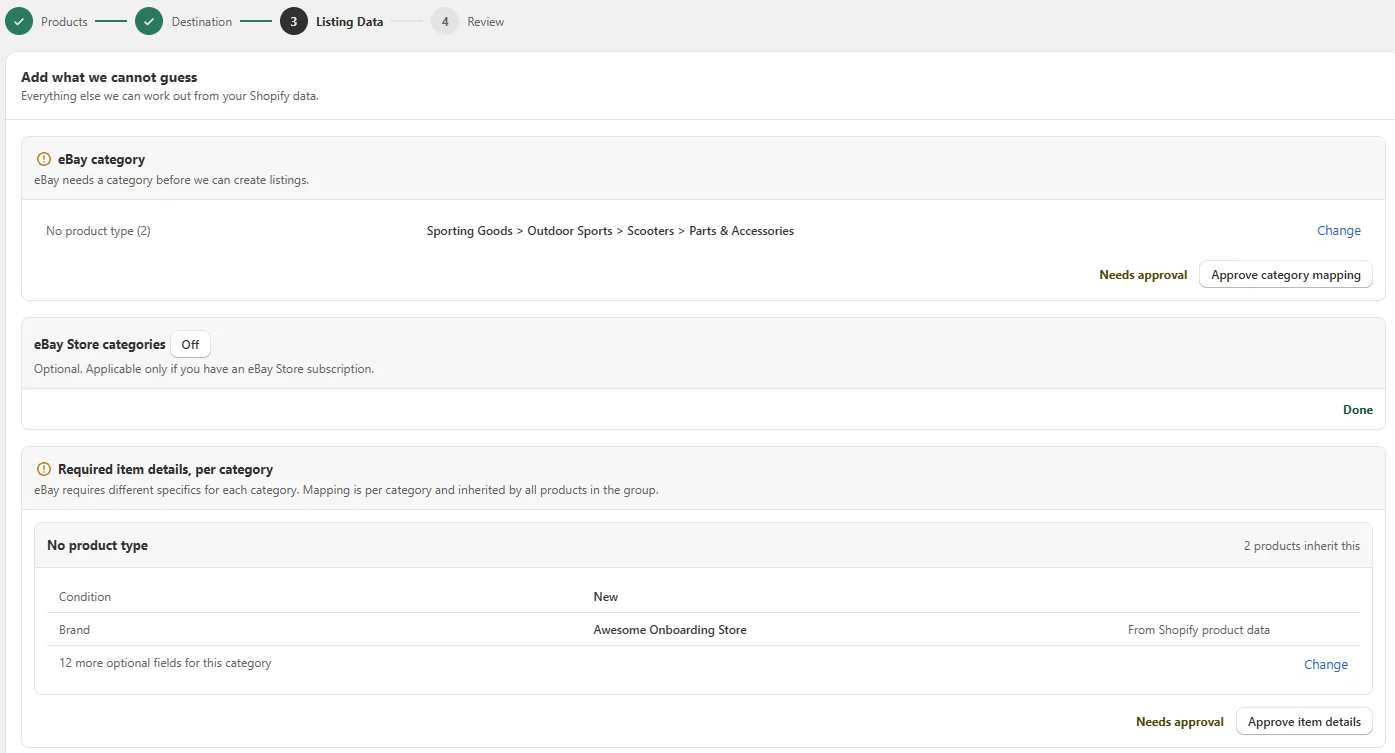
When all is set, publish the items at the last step. Items published this way are added to your Selling Products. In case of any issues with publishing (missing or invalid data in the listing), you can later adjust the settings manually in the Sync Rules section.
Updated variation setup for eBay
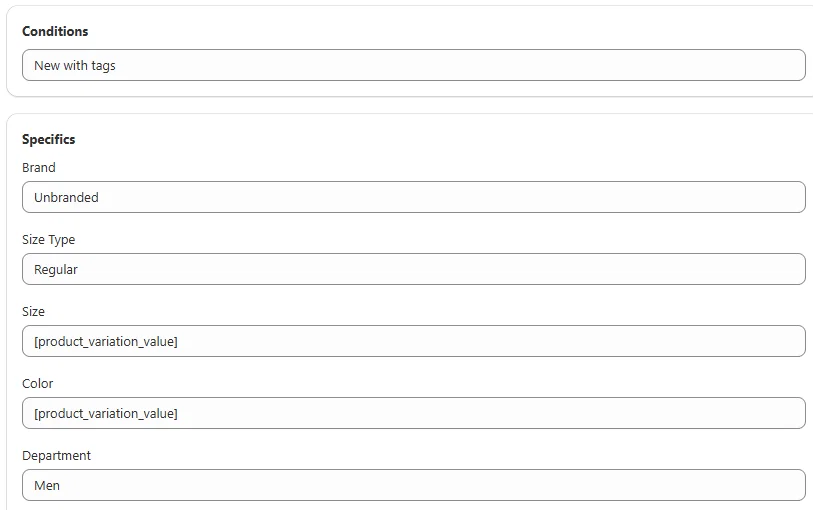
Due to recent changes on eBay, Creation Profiles and Listing data now feature additional settings. When setting up profiles for items with variations, indicate it in the item specifics using the product_variation_value key. When sending the products to the marketplace, the indicated variations will use the Shopify values.
Improvements to fulfillment latency sync
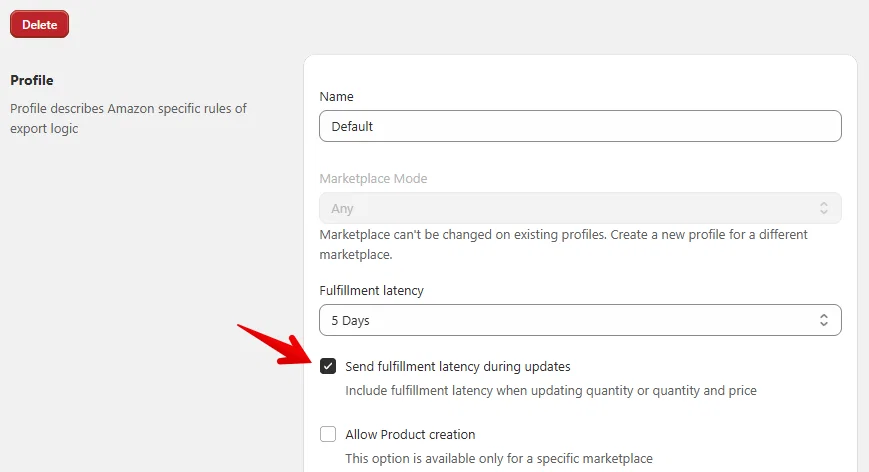
Amazon sellers now have a more flexible way to update fulfillment latency on the listings. The previous setting stays the same, and you can adjust it in the Amazon Profile. By default, fulfillment latency is updated only during the Send to Amazon action.
The new setting appears below. Enable it to update the latency at any time:
Other improvements and fixes
- Improved performance for eBay order importing
- Support for multiple sets of UKM compatibility properties on eBay
- Added a button to refresh Shopify Bundle data manually from Salestio > Settings
- Added support for Amazon South Africa
- Added a distinct log message for duplicate SKU errors on Amazon
- Added pagination to the Profiles tab
Recent blog updates
- Salestio news: Q3 2026
- eBay Size Standardization: how to configure sizes in Salestio
- Review inventory and order syncing errors in Salestio
In progress
The team is working on a more streamlined Dashboard in Salestio.
Combined Dashboard view for the connected marketplaces
As a user, I would like to be able to view the recent orders from the connected marketplaces altogether on Dashboard
0
We are also working on support for recently released Shopify Metaobjects. Stay tuned for future updates!
Support Shopify metaobjects
As a user, I would like to have the ability to set item specifics for eBay from Shopify metaobjects. At the moment, only metafields are shown in the Creation profile fields. Please also give the ability to select metaobjects.
0